How to import a Demus playlist into Lyra
Updated on
Lyra imports Demus playlists from their .playlist file. In Demus, open the playlist, tap the share button and pick Lyra; or save the .playlist file and, in Lyra, go to Library → Import playlist → Import from Demus → Select Playlist File, then tap Import. The playlist keeps its Demus name and order.
Step by step
Share or save the playlist in Demus
In Demus, open the playlist and tap the share button. Pick Lyra from the share menu to send it straight to Lyra, or save the .playlist file to Files.
Open Import from Demus in your Lyra library
If you saved the file, open Lyra, tap Library, then the Import playlist tile (or the + button at the top) and choose Import from Demus.
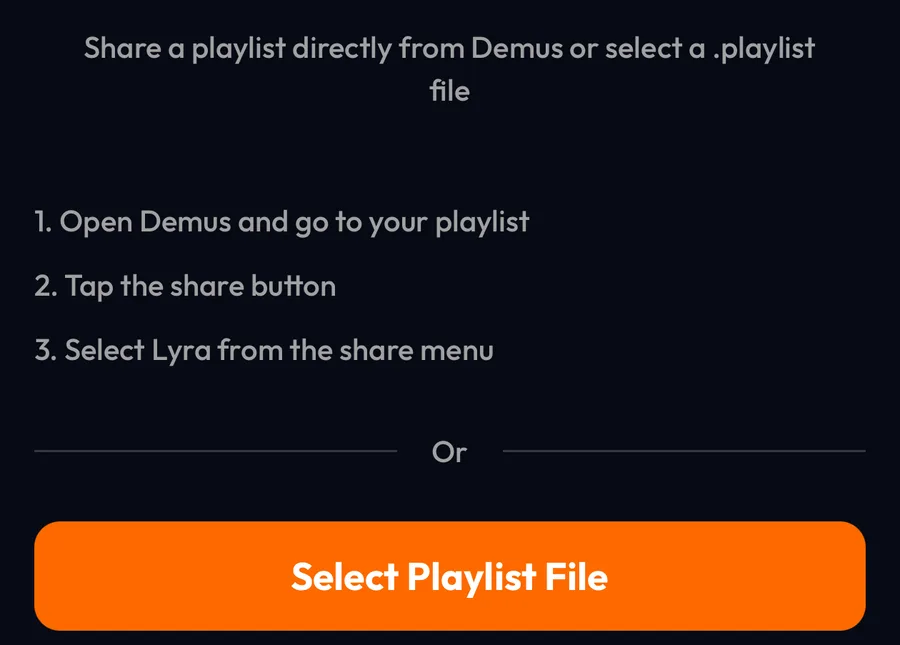
Select the .playlist file
Tap Select Playlist File and pick the file exported from Demus. Lyra shows the playlist with its songs.

Tap Import
Tap Import: the playlist is added to the top of your Library, with a cover made by Lyra.

Differences by device
iPhone
The steps and screenshots on this page come from the Lyra iPhone app, used as a guest.
Android and desktop
Import from Demus is in the same place; pick the .playlist file from your device.
Good to know
- Only .playlist files exported from Demus can be imported.
- The playlist keeps the name it has in Demus (or, if the file has none, the file name), and its songs keep the Demus order, newest additions first.
- An import is a one-time copy: changes made in Demus later don't reach Lyra.
If something goes wrong
- “Invalid Demus playlist file”
- The file isn't a Demus .playlist export, or it was damaged. Export it from Demus again and pick the new file.
- Lyra doesn't appear in the share menu
- Save the .playlist file to Files instead, then pick it with Select Playlist File.
Frequently asked questions
Do I need a Demus account?
No. Lyra only needs the exported .playlist file.
Is importing free?
Yes. Importing playlists doesn't require Lyra Premium or a Lyra account.
Demus is a trademark of its respective owner. Lyra Music is not affiliated with, sponsored or endorsed by Demus.