How to import a Musi playlist into Lyra
Updated on
In Musi, share the playlist to get its link (it looks like feelthemusi.com/playlist/…). In Lyra, go to Library, tap Import playlist, choose Import from Musi, paste the link, tap Load playlist and then Import. Lyra copies the playlist into your library as a playlist you can edit.
Step by step
Get the playlist link from Musi
In Musi, open the playlist and share it, then copy the link. Musi playlist links look like feelthemusi.com/playlist/….
Open Import playlist in your Lyra library
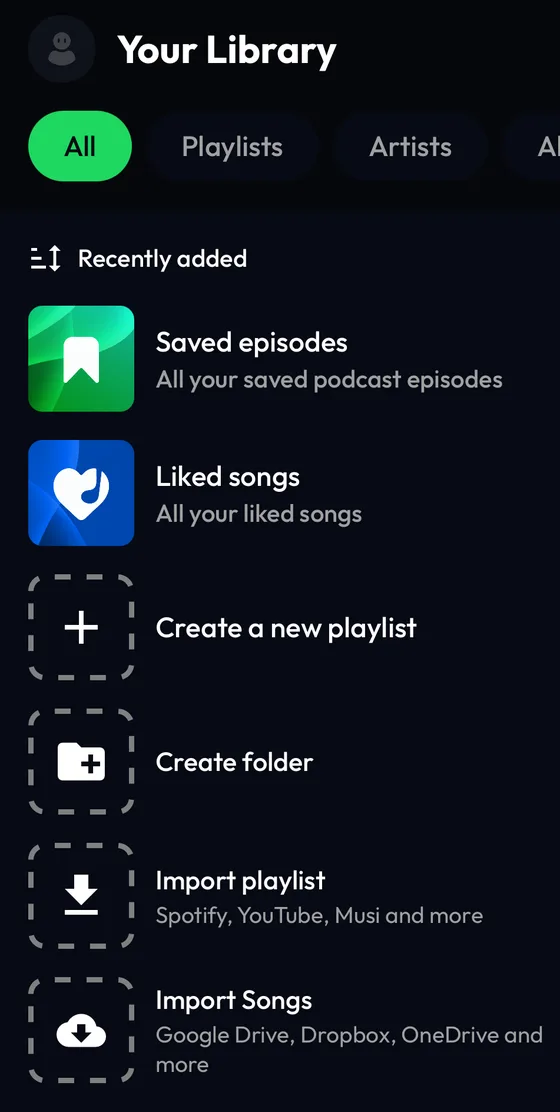
In Lyra, tap Library, then the Import playlist tile (or the + button at the top) and choose Import from Musi.
Paste the link and load the playlist
Tap the field Paste Musi playlist link, paste the link and tap Load playlist.

Check the preview and tap Import
Lyra shows the playlist with its songs. Tap Import to copy it into your library.

Find it in your library
When the import is done, the playlist appears at the top of your Library, ready to edit.

Differences by device
iPhone
The steps and screenshots on this page come from the Lyra iPhone app, used as a guest.
Android
The path is the same: Library → Import playlist → Import from Musi.
Web player
Importing from other services isn't available on the web player at listen.lyramusic.app: open the mobile or desktop app to import.
Good to know
- Lyra needs the playlist's share link: paste the whole feelthemusi.com/playlist/… address.
- An import is a one-time copy: songs added in Musi later don't appear in Lyra. Share and import the playlist again to update it.
- Songs that are no longer available are skipped.
If something goes wrong
- “Invalid Musi link”
- The link must be a Musi playlist link (feelthemusi.com/playlist/…). Share the playlist from Musi again and copy the full link.
- “This playlist is private” or “An error occurred”
- Lyra couldn't open the link. Check that it opens in a browser, then try again.
Frequently asked questions
Do I need a Musi account?
No. Lyra only needs the playlist's share link.
Can I move all my Musi playlists?
Yes, one at a time: share each playlist from Musi and import its link.
Is importing free?
Yes. Importing playlists doesn't require Lyra Premium or a Lyra account.
Musi is a trademark of its respective owner. Lyra Music is not affiliated with, sponsored or endorsed by Musi.